The Ball State tools an online nursing student uses every week
Outside the clinical site, nearly everything you do at Ball State runs through a few systems: MyBallState as the front door, Self-Service Banner for registration and records, Stellic for the degree audit, Canvas for courses and the Nursing Grad Students community, and your BSU email. This guide covers what each one is for, what the School of Nursing expects of you in it, and who to call when one misbehaves.
Get your placement plan
Tell us your Ball State program and where you live. A placement advisor replies with preceptor and site options in your community that fit your Ball State course.
Which tool does what
Use this table as a map. Most of these systems open from MyBallState, and each one is covered in more detail below.
| Tool | What you use it for | Where you find it |
|---|---|---|
| MyBallState | Portal for Ball State tools and information | Web and the MyBallState app |
| Self-Service Banner | Registration, schedule, address, graduation application | MyBallState Quick Links |
| Stellic | Degree audit (formerly Degree Works) | MyBallState or your advising center |
| Canvas | Course sites and the Nursing Grad Students community | MyBallState widget |
| BSU email (Outlook) | Every official message from the School | MyBallState widget |
| Respondus Monitor | Proctored online exams, when an instructor uses it | Inside Canvas |
| Cardinal Central | Billing and other business services | Cardinal One-Stop portal |
| Ball State First Day | Required course materials | Through registration and Canvas |
| Technology HelpDesk | Account, email and course access problems | Phone, chat and the Ball State HelpDesk portal |
MyBallState, the front door
MyBallState replaced the old My BSU portal on January 1, 2025. Ball State describes it as a customizable digital space that pulls together the information, resources and tools students rely on each day, reachable on the web and through MyBallState apps for Apple and Android devices.
Its widgets bring in Canvas, Outlook and other services, and its Quick Links menu is the route into Self-Service Banner. If an older handbook page or a forum post points you to the old My BSU portal, read it as MyBallState. The Graduate Nursing Handbook, still the 2025-26 edition, already uses the new name in its registration instructions.
Set up the mobile app early in the program. Course announcements, email and Canvas notices are easier to keep up with on a phone during a clinical day, and the School expects quick replies, as the email section below explains.
Self-Service Banner: registration, records and graduation
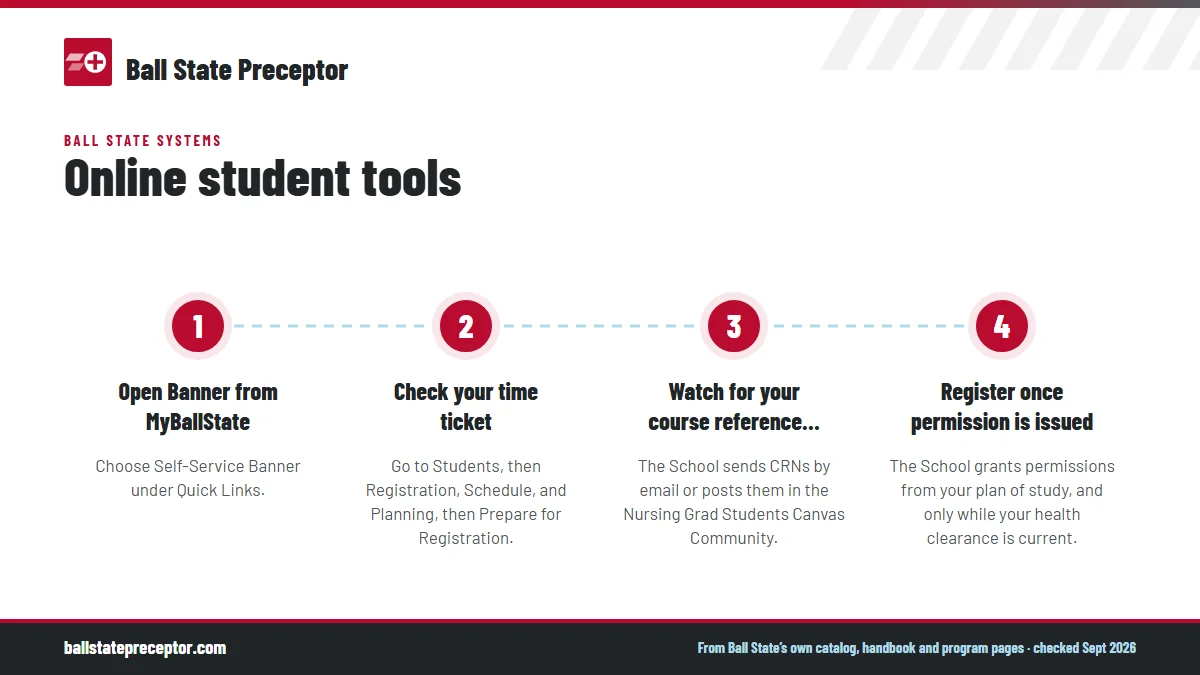
Self-Service Banner, often shortened to SSB, handles the business side of being enrolled: registration, your schedule, your records and the graduation application. Nursing registration works a little differently from the rest of the university, because it is by permission only.
- Open Banner from MyBallStateChoose Self-Service Banner under Quick Links.
- Check your time ticketGo to Students, then Registration, Schedule, and Planning, then Prepare for Registration.
- Watch for your course reference numbersThe School sends CRNs by email or posts them in the Nursing Grad Students Canvas Community.
- Register once permission is issuedThe School grants permissions from your plan of study, and only while your health clearance is current.
Banner also holds your address, and the graduate handbook asks you to update it within seven days of any move. A move to another state brings more steps, including an email to the Clinical Placement Coordinator and a new license uploaded to American Data Bank; the guide to clinicals outside Indiana explains why your state matters. The graduation application is in Banner too, under Students, and the academic calendar lists its 2026-27 deadlines.
Stellic, your advisor and the plan of study
Ball State's degree audit tool is Stellic, which took over from Degree Works. Ball State says you can get a Stellic audit from your advising center or in MyBallState. The Degree Works Transfer Equivalency Self-Service is still online, so you will see both names for a while.
Graduate students work directly with an academic advisor. In nursing that is the DOSL Advisor for Nursing Graduate Students, who handles admission, transfer credit, the plan of study, leaves of absence, graduation and withdrawal. Your plan of study reaches you at your BSU email address after admission.
Think of Stellic as the record of what you have finished and the plan of study as the map of what comes next. The plan also sets your clinical calendar, since each clinical course on it needs a preceptor and an agency agreement in place before the term. Ball State warns that stepping off the plan can cost two or three semesters; the grades and time limits guide explains the knock-on effects.
Canvas and the Nursing Grad Students community
Your courses run in Canvas by Instructure. Alongside your course sites, every graduate nursing student is added to the Canvas Community: Nursing Grad Students, which the graduate handbook calls the home of clinical information, health forms and the handbook itself. Announcements there cover registration, clinicals, program changes and graduation deadlines, so check it as often as your courses.
The community also holds the leave of absence form and the clinical packets for the Nurse Practitioner, Educator and Administrator concentrations. The packets set out preceptor qualifications and responsibilities, clinical forms, paperwork deadlines, the student and preceptor evaluation forms and the clinical time sheet. None of it is public, which is why the clinical packets guide sends you back to Canvas for the specifics.
For help with Canvas itself, the Division of Online and Strategic Learning has instructional consultants who answer questions about Ball State's learning management system.
BSU email and Respondus Monitor
Your BSU email, read in Outlook, is the channel for anything official. The graduate handbook sets two rules worth remembering: you are expected to read and answer School emails within 48 hours, not counting weekends, and messages from personal email accounts are deleted without a reply from faculty or staff, however urgent they look.
That matters most around clinical courses. Your plan of study and course reference numbers arrive by BSU email, and formal academic conduct notices are sent to the same address through a system called Maxient. Write to faculty and staff about preceptors, agencies and paperwork from your BSU account, and keep those threads together so you can find them at the end of the term.
Some courses use Respondus Monitor for proctored exams inside Canvas. Your course instructor tells you whether an exam uses it, so read the syllabus before exam week and set up the computer you will test on well ahead of time.
Cardinal Central, the bookstore and Ball State First Day
Cardinal Central is Ball State's one-stop service center for business processes, including your eBill, and current students reach its services online through the Cardinal One-Stop student service portal. The office sits in the L.A. Pittenger Student Center, and Ball State University Veterans Affairs works from inside it, which helps if you use VA education benefits.
Course materials come through Ball State First Day, run with Barnes & Noble College and the Ball State Bookstore. Every undergraduate and graduate student is enrolled automatically at registration, required print and digital materials are supplied for your courses, digital items appear in Canvas, and you may opt out. Nursing kits are not part of First Day.
Fully online students also receive a Ball State ID card by mail once they have an approved photo on file, have met with their advisor and have registered for classes.
Technology help, and the clinical systems that sit apart
The Technology HelpDesk, which the graduate handbook calls the Campus Help Desk, supports students by phone and chat with account problems, email and course access, and takes requests through its Ball State HelpDesk portal. On campus, the walk-in Tech Center is in Bracken Library. For nursing technology, the School's own support center is the Nursing Simulation and Information Technology Center (NSITC).
Your clinical systems are separate from everything above. Health clearance runs through American Data Bank, and in your first clinical semester you link it to a CORE account; the American Data Bank and CORE guide covers both.
Those systems, plus the affiliation agreement and the clinical packet, are where preceptor placements tend to stall, and they are exactly where our placement desk works for you. We match a preceptor to your specific course, gather what the packet and agreement ask for, and keep your clearance timing in step with the term. Send us your next clinical course to get started.
Questions Ball State students ask
What happened to the old My BSU portal?
Ball State replaced it with MyBallState on January 1, 2025. The same tools now open from MyBallState's widgets and Quick Links, including Canvas, Outlook and Self-Service Banner, and there are MyBallState apps for Apple and Android phones. Where an older document mentions the retired portal, go to MyBallState instead.
Is Degree Works still used at Ball State?
Ball State's degree audit is now Stellic, formerly Degree Works, and you can reach an audit through MyBallState or your advising center. The Degree Works Transfer Equivalency Self-Service is still live, which is why both names appear. For nursing students, the plan of study from your advisor remains the guide to course order.
Why did no one answer the email I sent from my personal account?
The graduate handbook says emails from personal accounts are deleted and not answered by faculty or staff, whatever the subject. Resend the message from your BSU email. The handbook also expects you to answer School emails within 48 hours on weekdays, so check that inbox daily.
Where are the clinical forms for my Ball State course?
In the clinical packet for your concentration, inside the Nursing Grad Students Canvas Community. The handbook treats the packets as part of the handbook itself, and they hold the preceptor qualifications, forms, deadlines, evaluations and time sheet. Your course faculty answer questions about them.
Do I have to use Ball State First Day for textbooks?
Ball State enrolls every undergraduate and graduate student in First Day automatically at registration, and you may opt out. First Day supplies required course materials in print and digital form, with digital items delivered in Canvas. Nursing kits are excluded from First Day, so check your course materials list for anything a kit requires.
Related pages
Last checked 2026-09-26
We check these pages against Ball State's own catalog, graduate handbook, program pages and State Authorization Map, and Indiana rules. Your course faculty, your advisor and the Graduate Clinical Placement Coordinator have the final word.
Ball State asks you to find your preceptor. We find one near you.
Tell us your Ball State track, where you live and when your next clinical course starts. We find preceptors near you who fit the course, confirm the practice will sign Ball State's affiliation agreement, and line up a backup, so the School of Nursing can clear the site before the semester.
- Preceptors matched to the course: pediatrics for
NUR 682, women's health forNUR 684, adult primary care forNUR 681andNUR 683 - Outside your own unit or clinic, in a state where Ball State's program is authorized
- Across Indiana, from Muncie to Evansville, and in the other states Ball State accepts
Start your placement plan
Program, city and start date is all we need to begin.